A sorted inbox
Priority and Others, Smart Stacks and labels from a model that runs on your computer. Move a thread once and Lumen learns that sender.
 Lumen
In development
Lumen keeps every email on your computer and uses your own AI to sort, summarise, draft and protect, so you only deal with what needs you.
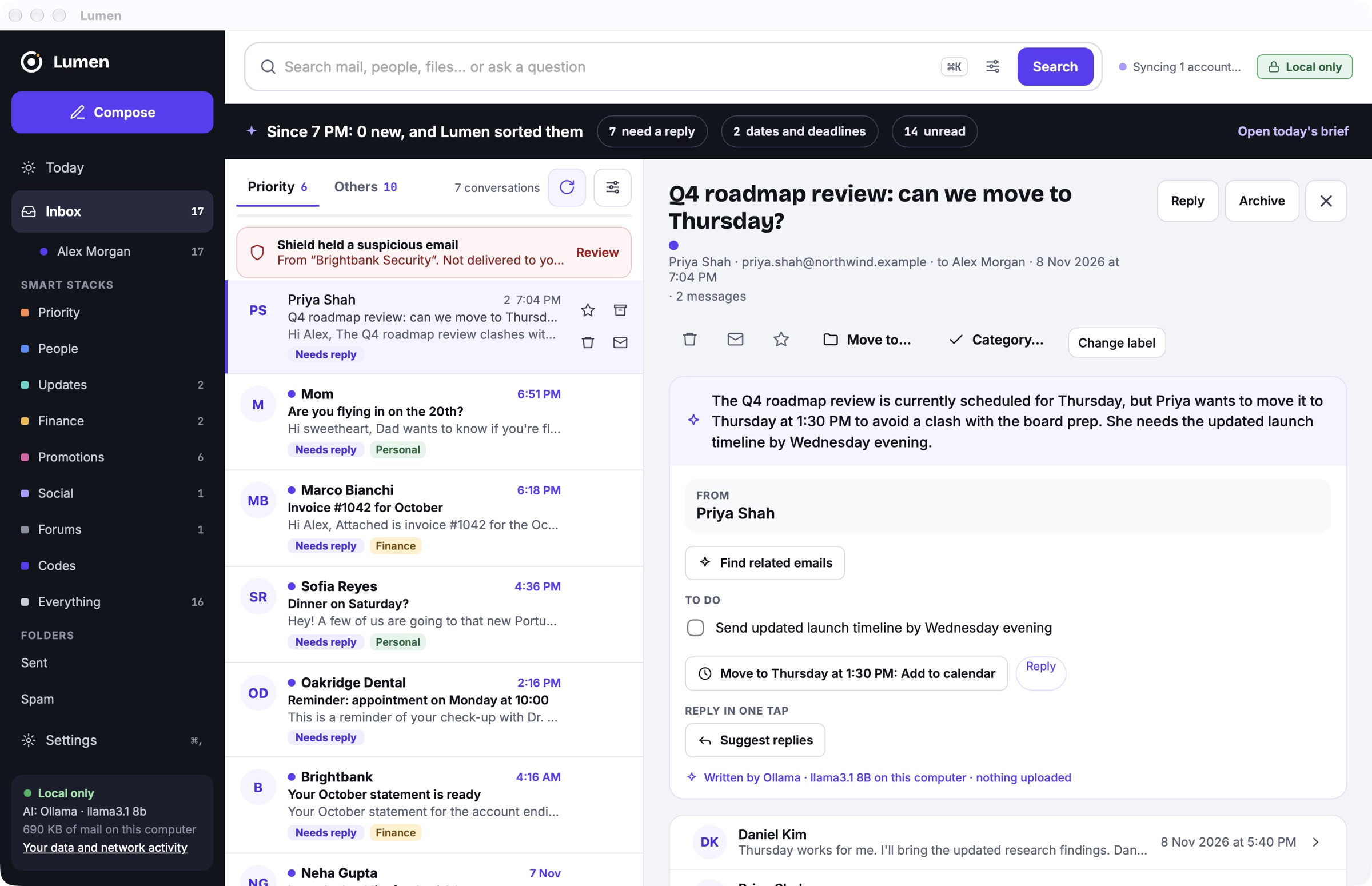
Lumen running on a Mac with a local model and a demo inbox. The mail is made up; everything else is the app as it is.
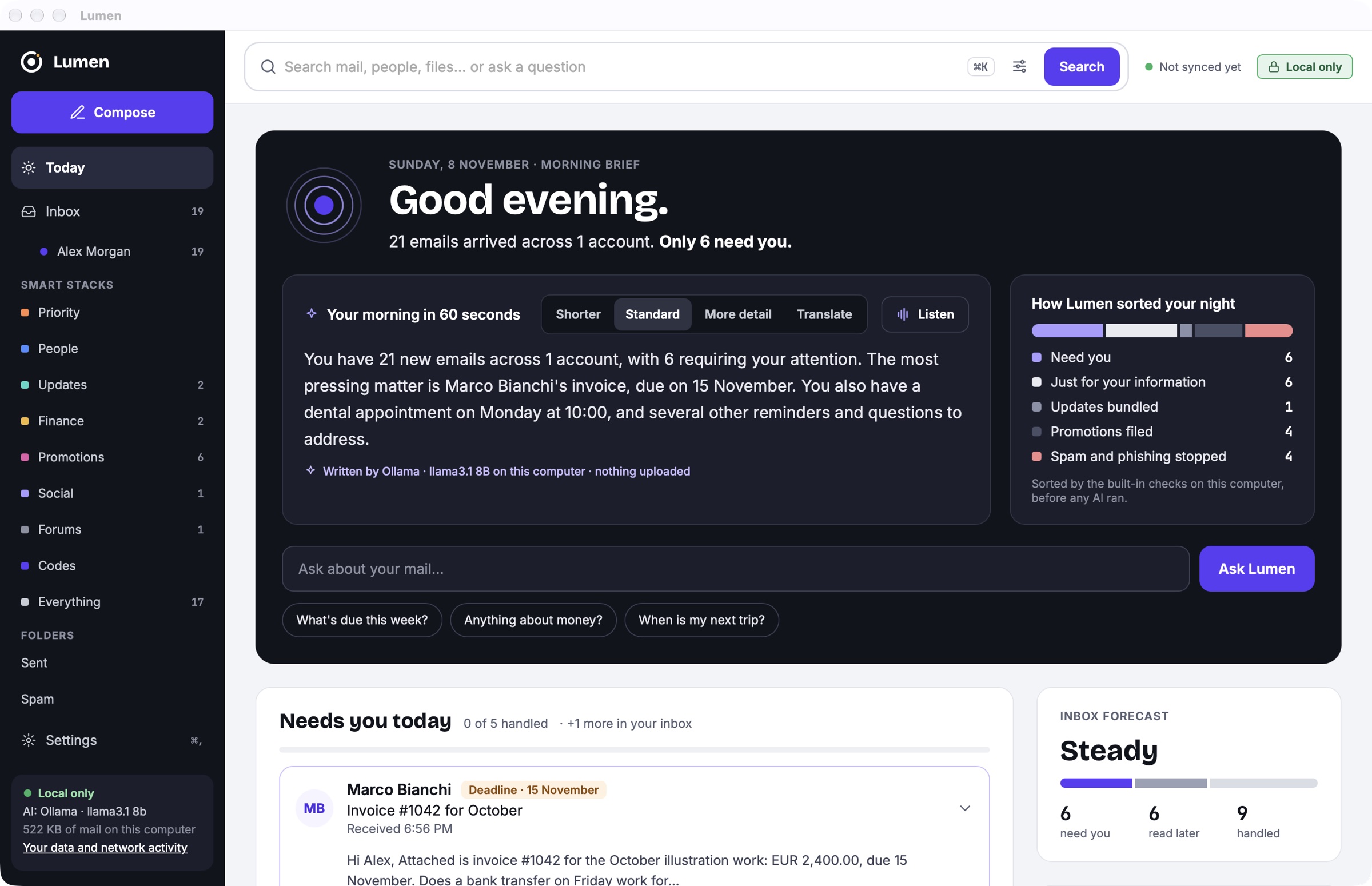
The first open of the day starts with a short brief your AI writes from the facts in your mail: what needs you, what is due, and how Lumen sorted the rest.
Open a thread and Lumen summarises it, pulls out the to-dos and offers the next step, like adding the new meeting time to your calendar.
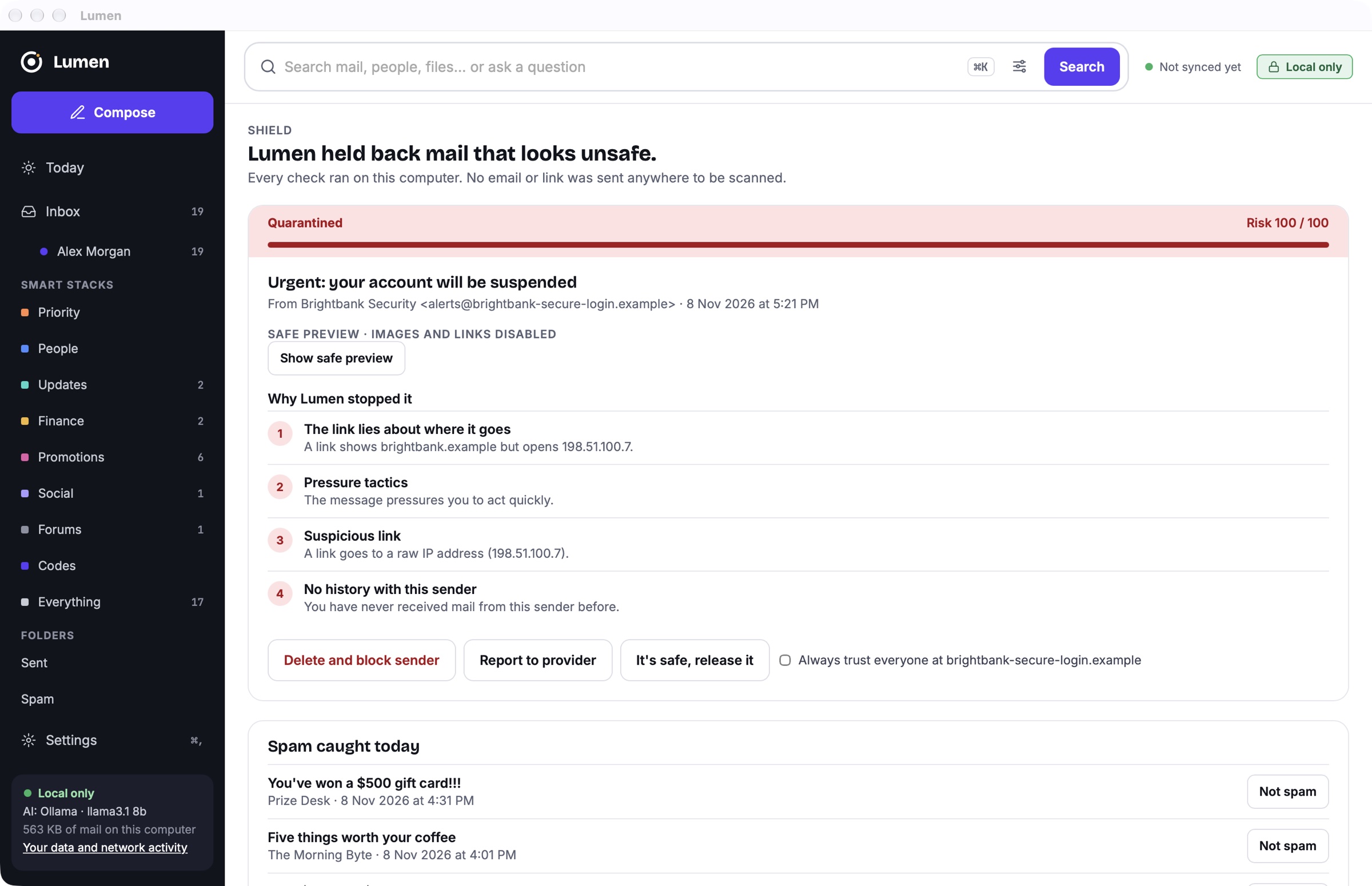
Suspicious mail never reaches your inbox. Lumen says why in plain words, and every check runs on your computer, without AI and offline.
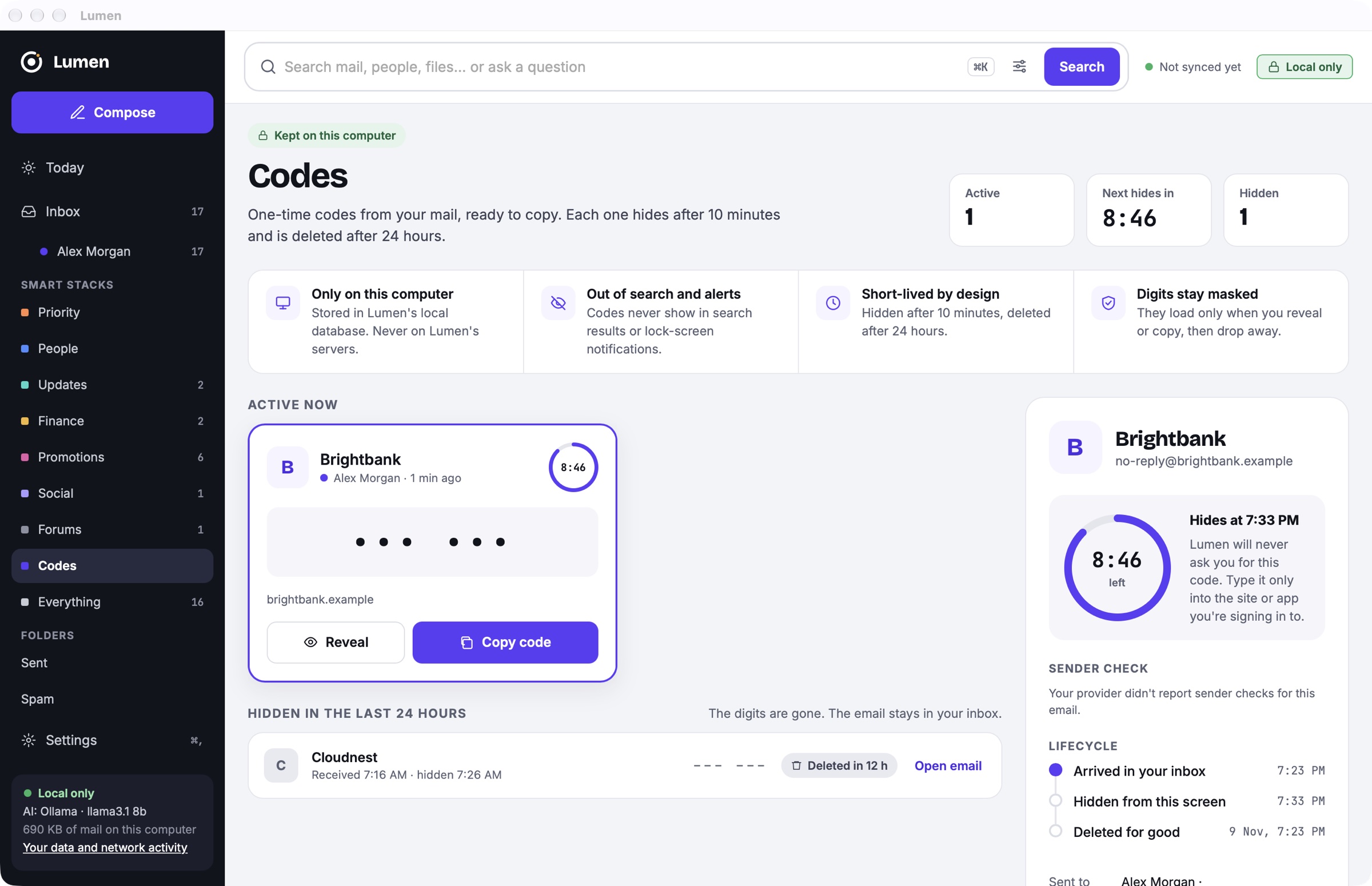
One-time codes are pulled out of your mail and ready to copy, with a countdown to when they disappear.
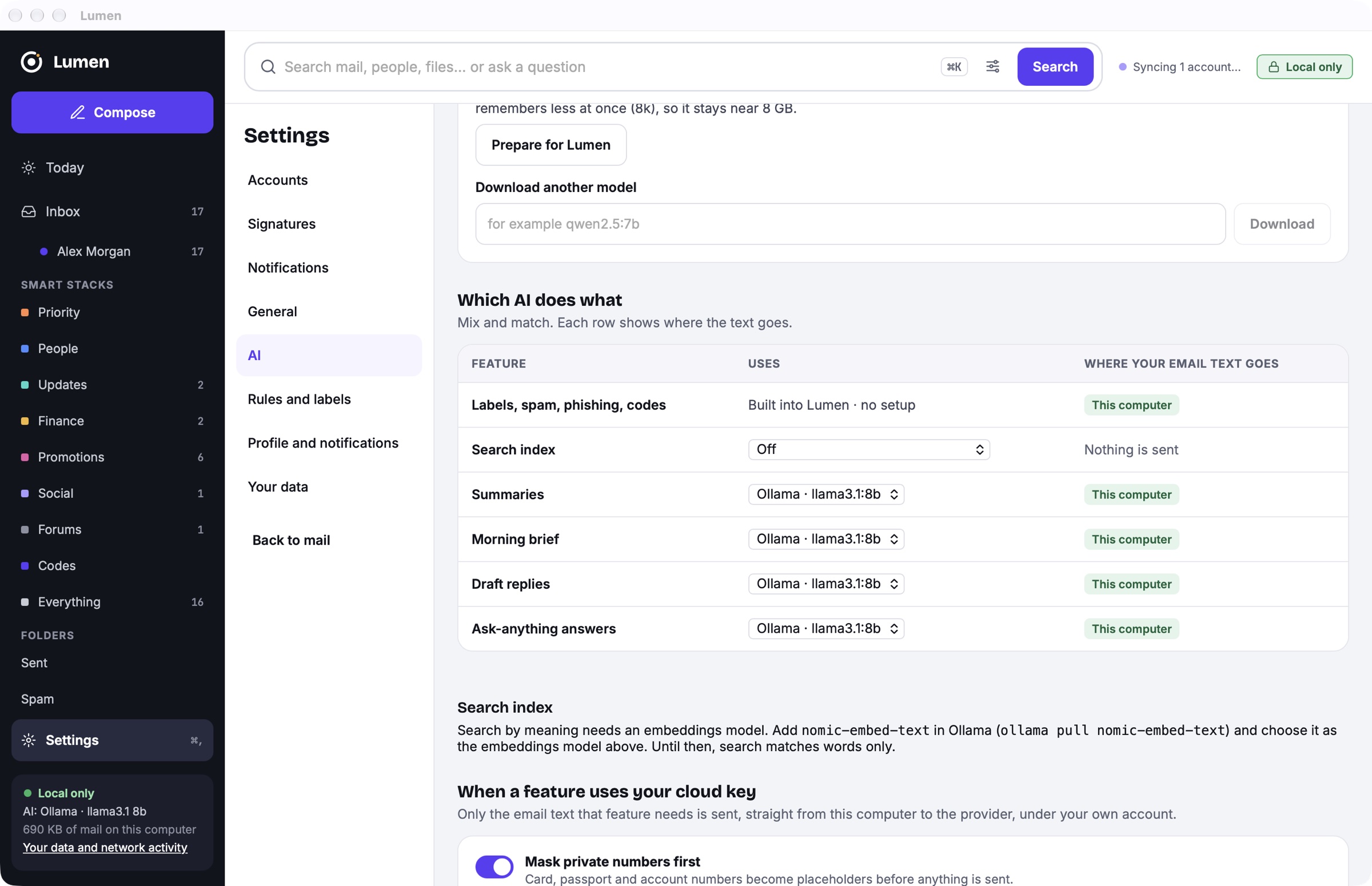
Every feature shows where your email text goes. Run everything on Ollama or LM Studio, or send one feature to your own cloud key.
Priority and Others, Smart Stacks and labels from a model that runs on your computer. Move a thread once and Lumen learns that sender.
Pick what you want to say and the tone; the draft rewrites live. Before you send, it catches a missing attachment or a promised time.
Gmail-style filters, or ask in plain words: "How much has Marco invoiced me this year?" gets a total, a chart and the emails behind it.
An email in another language gets a Translate button that swaps the words and keeps the email's layout. See original swaps it back.
"Never send emails from my lawyer to a cloud AI." Teach Lumen in a sentence, and it suggests rules from what you already do.
Emails with ID, card or bank numbers can sit behind your system password or fingerprint.
Lumen talks to your email providers directly and keeps what it downloads on your computer. Only the arrows that cross the line carry anything out, and each says what.
AI on this computer: the router sends the text a feature needs to Ollama or LM Studio. Nothing about your mail crosses the line.
| Where | What goes | When |
|---|---|---|
| Your mail providers | Your own mail, fetched and sent over IMAP and SMTP | Always, directly; new mail arrives over IMAP IDLE |
| Your cloud AI | Only the email text a feature needs, private numbers masked | Only for features you route to your own key; never for accounts marked local only |
| Lumen's server | Name, email, country, OS, app version, notification choices, a device ID | At sign-up and when checking for updates |
| Google Analytics | Anonymous counts of which features are used | If usage stats are on; off by default in the EU and UK |
| Senders' servers | Image and unsubscribe requests, brand logos | When you click Show images or Unsubscribe; logos once per domain, can be turned off |
Each connection is listed in the app's network activity log.
No password, no email content, no AI prompts. It is used for signed updates, security patches and notices. Anonymous usage counts can be turned off any time, and start off in the EU and UK.
Gmail, Outlook, iCloud, Yahoo and any IMAP host, in one calm inbox. A light Rust core keeps it fast and easy on memory.
See how it works